
In this blog, I will try to demonstrate how we can integrate Twilio for sending SMS from Dynamics CRM using Power Automate. SMS functionality is required by clients for many business use-cases.Some of them are listed below.
- Lead creation
- Customer Onboarding
- Case creation
Let’s start with Twilio account creation in case you don’t have you can create a demo account for free without adding your credit card details here .
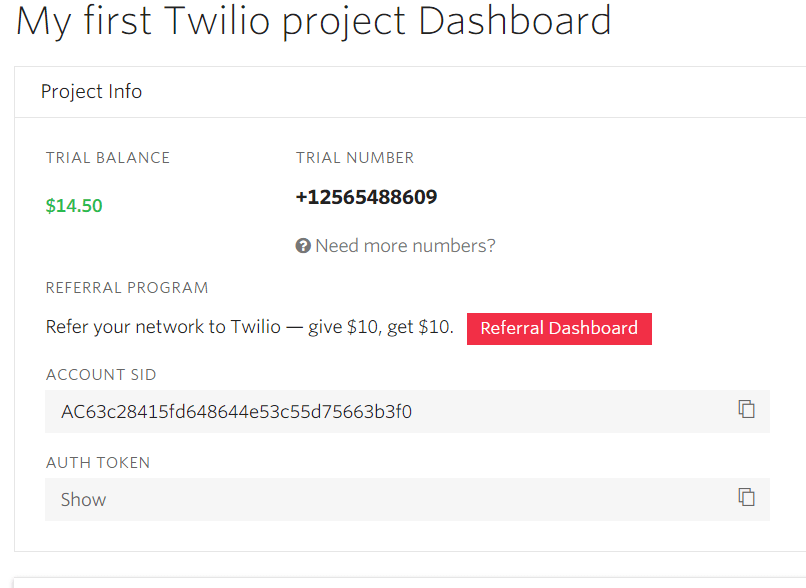
Once you register and verify your account via email and phone number you will be landing on your Twilio dashboard.
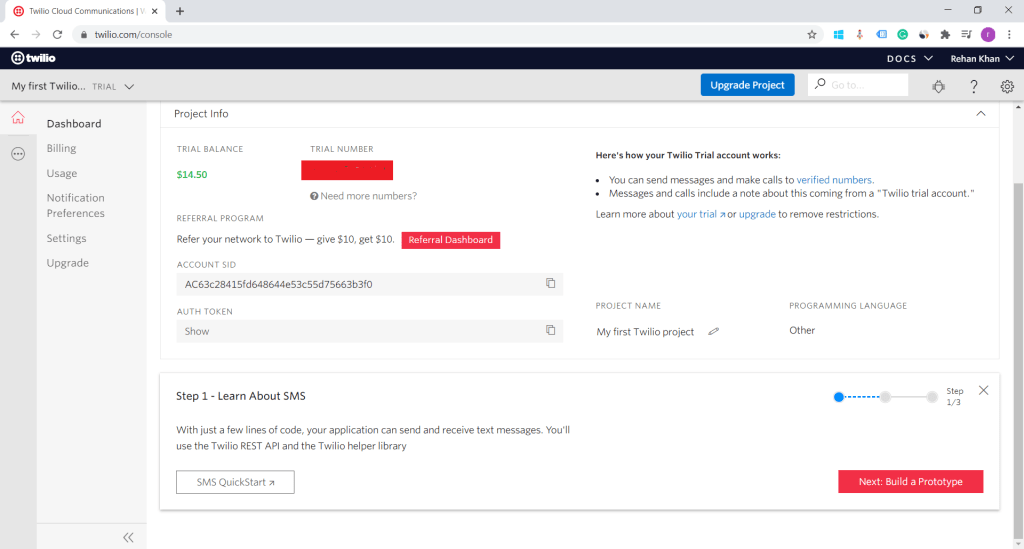
In the above screenshot, you can see the Twilio dashboard. Now you have to generate a Trial number by clicking on the button below trial number. Twilio will provide a random number for the trial account. Now we have Account sid, Auth token, and Phone number with us. We will use these three parameters to connect and process SMS in power automate.
Power Automate
Log in to the power automate portal https://flow.microsoft.com .
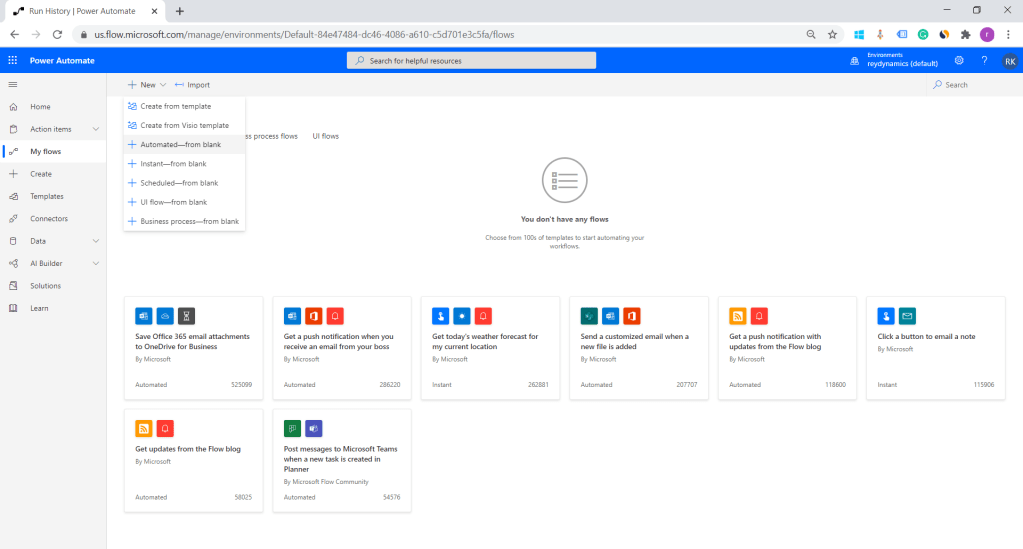
1. Select Automated blank flow.
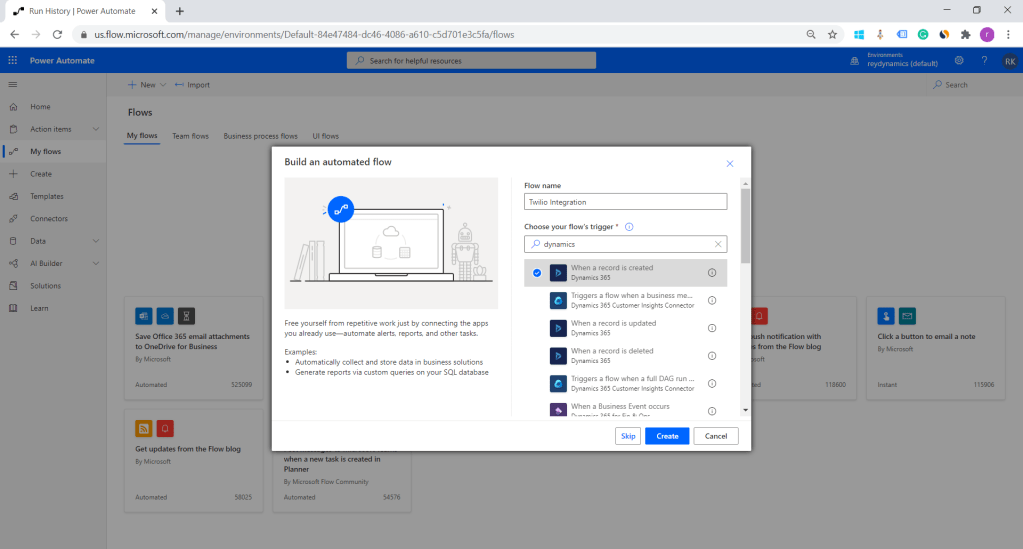
2. Provide a name to your flow and select dynamics 365 create of record trigger.
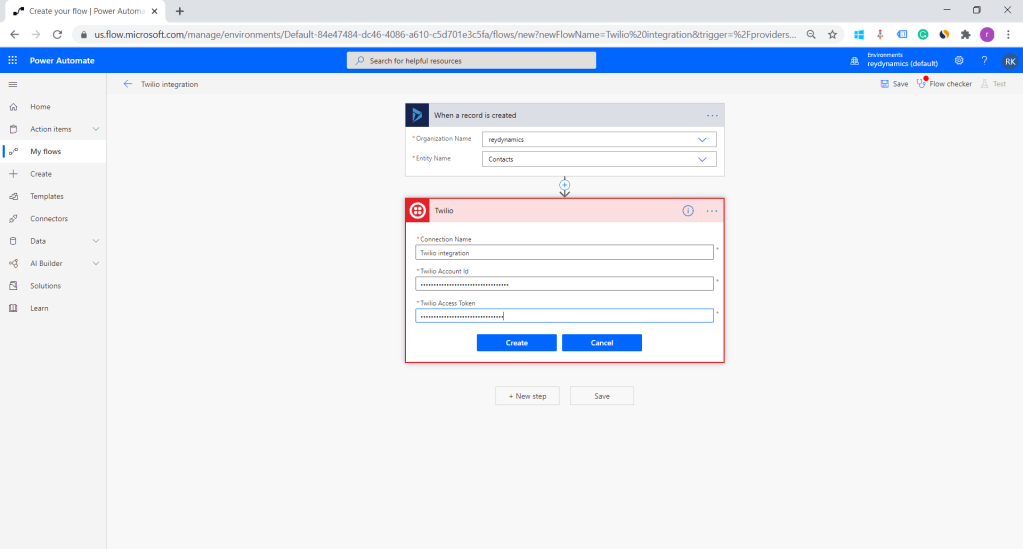
3.Select your organization and select the entity on which the flow will get triggered. Here I am demonstrating on create of contact.
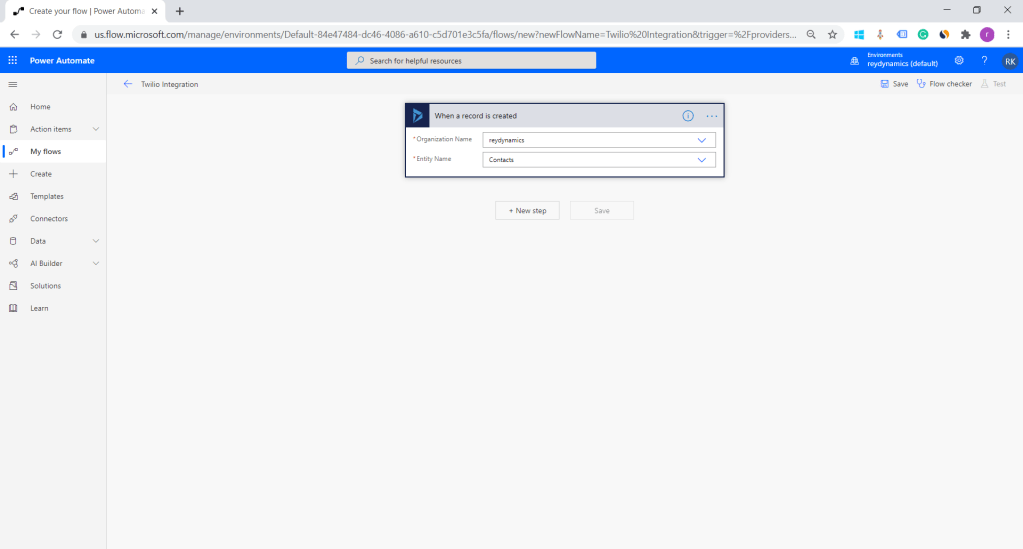
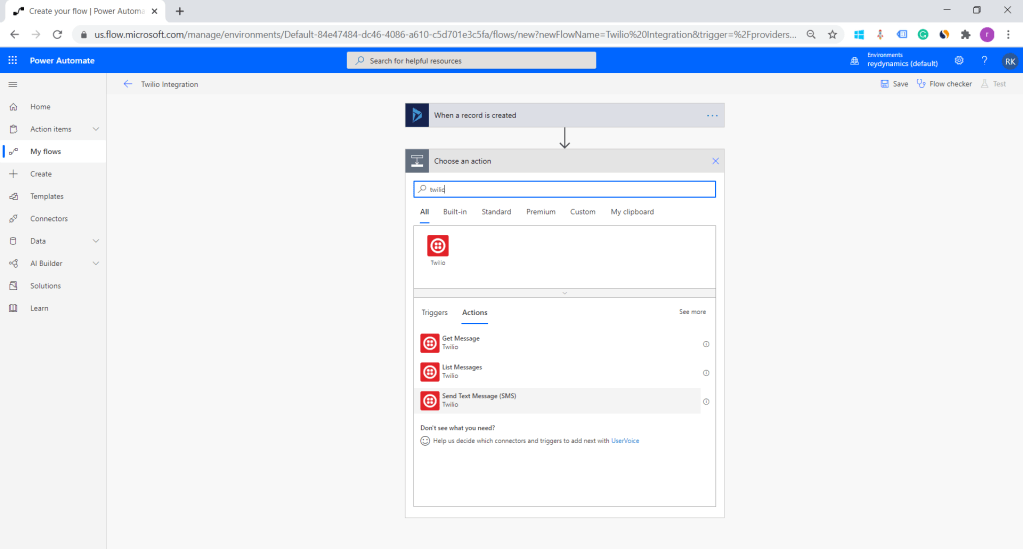
4.The next step is to add Twilio connector and select Send text message action.
5.Type name for Twilio connection and copy Account ID, Auth token from Twilio dashboard. Once done click on create.
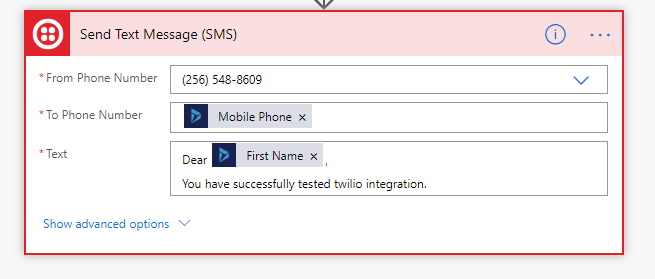
6.The next step is to add SMS details. Your number registered with Twilio will be populated in from the phone number field. I am adding a contact phone number as To phone number.
And the last one is the text message body which can be dynamic, you can include parameters from contact entity or any related entity as per your requirement.
Once you have performed the above steps Save and close the flow.
Let us try creating a contact record.
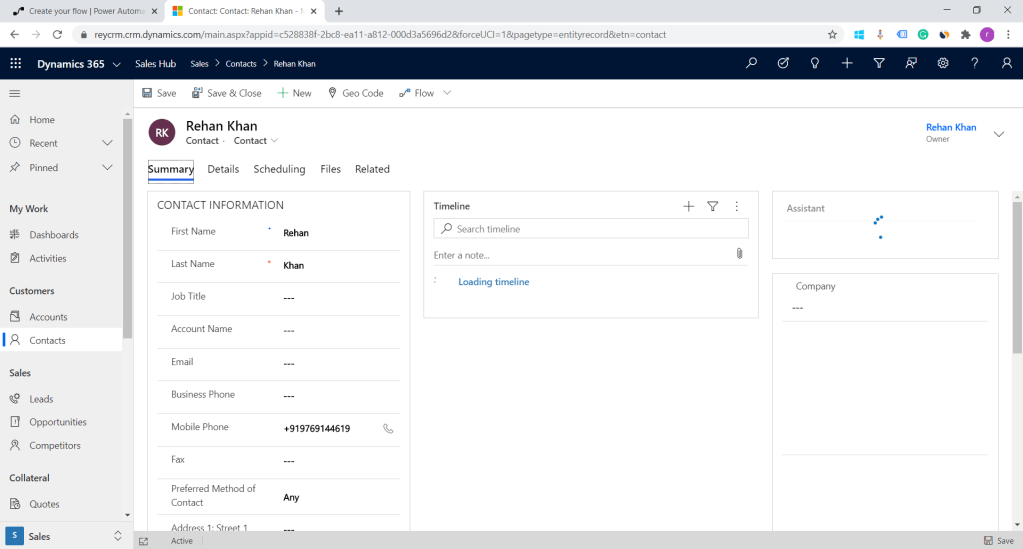
Now let’s check our power automate logs.
As you can see in the below screenshot flow is triggered successfully.
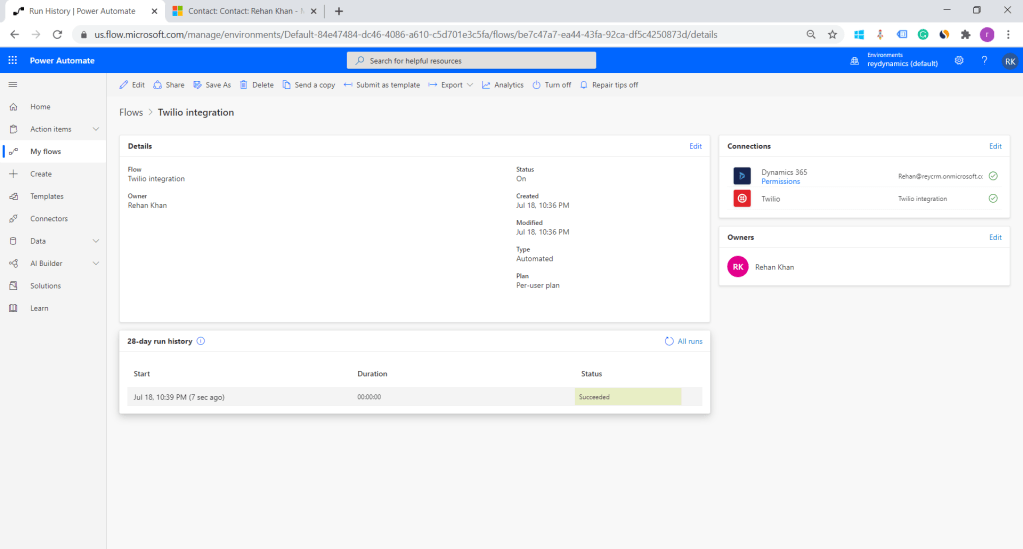
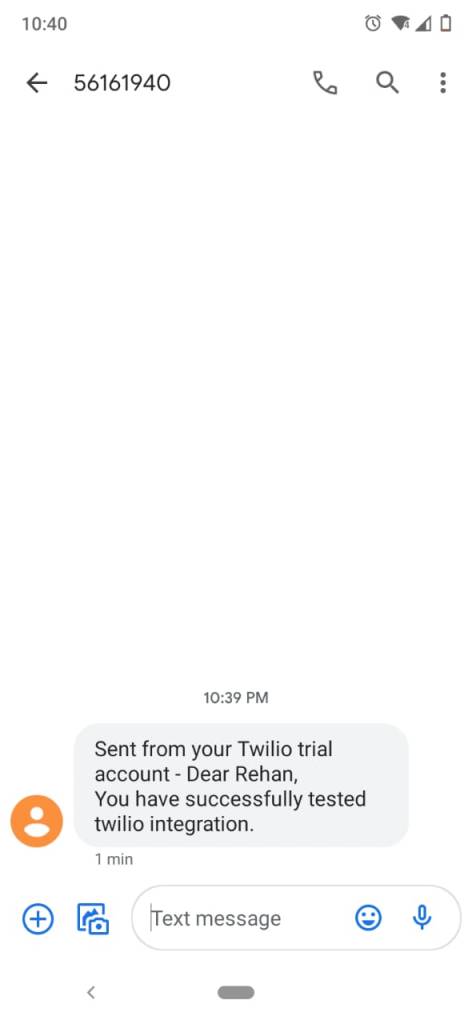
As per the above screenshot, we can see that Flow executed successfully and I have received an SMS.
This shows a powerful way to integrate SMS with Low code No code strategy using power automated.
I will try to demonstrate SMS activity with Powerautomate to show communication on the contact timeline.
Hope this helps Thanks for reading ………. 🙂
 Rey Dynamics CRM Blog
Good post. Quick question, instead of sending a message for every lead created is it possible to send the user the list of lead records that was created for that day where owner is that user In a single text message?
LikeLike
Thanks @bify for reading my post.
Yes but the solution has to be designed on a scheduled flow where we can list lead records created on that day and merge lead id’s or details capable in a single message and send it to the user .
LikeLike
http://www.ccdump.info
LikeLike
Thank you for sharing superb informations. Your website is so cool. I’m impressed by the details that you have on this web site. It reveals how nicely you understand this subject. Bookmarked this web page, will come back for extra articles. You, my friend, ROCK! I found just the information I already searched everywhere and simply couldn’t come across. What a perfect site.
LikeLike